 Sweeplens
The Mac cleaner that shows its work.
Sweeplens frees space, removes apps completely, fixes what is broken and checks your Mac's security. Every change is listed before it happens and logged after. Your own files only ever go to the Trash.
14-day free trial, no card needed · One purchase, no subscription · macOS 14 Sonoma or later, Apple Silicon and Intel
Beta build: macOS may warn that it cannot check the app for malware. Control-click the app and choose Open the first time. The notarized release removes this step.
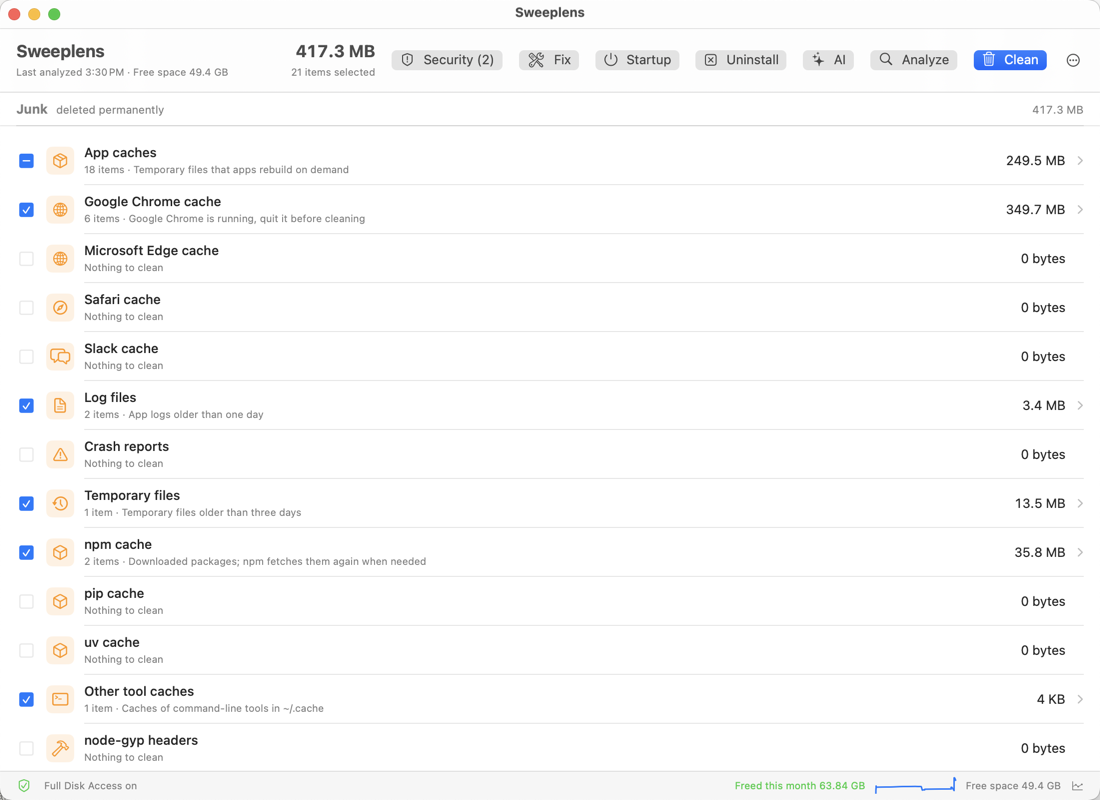
Everything a Mac needs cleaning, in one window.
Analyze first. Tick what you want. Clean. That is the whole app, and every part of it explains what it is about to do.
Clean junk
App caches, browser caches, logs, crash reports, temporary files and developer caches. Ticked by default, deleted for good, logged line by line.
Review your own files
Downloads with rule-based suggestions, files over 500 MB, duplicates that keep one copy. Nothing is ticked for you, and what you pick goes to the Trash.
Uninstall completely
Drop an app on the window. Sweeplens finds its support files, preferences, caches, containers and background helpers, and removes them together.
Startup items
See what starts with your Mac: login items, launch agents, background services. Switch each one off or on, with the publisher named.
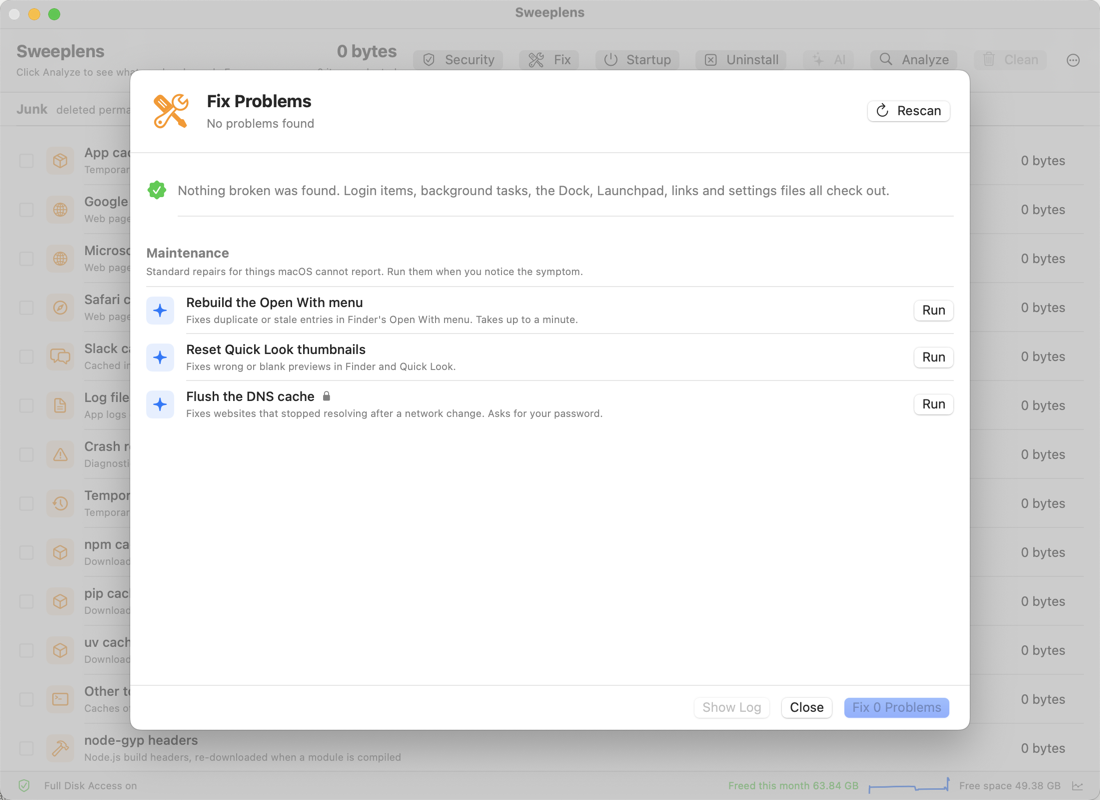
Fix problems
Broken login items, dead background tasks, question-mark Dock icons, lost folder icons and sidebar shortcuts. One click repairs them.
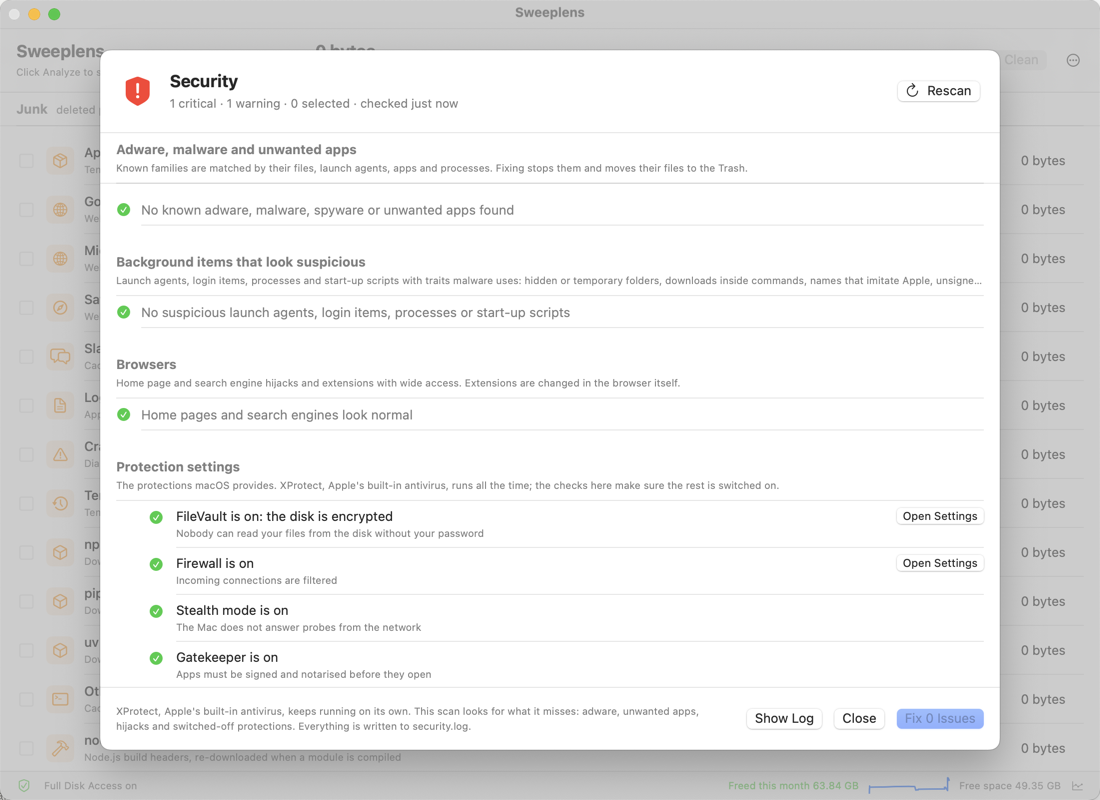
Security scan
Adware, unwanted "optimizer" apps, spyware and coin miners; hijacked browsers; and a checkup of FileVault, the firewall, Gatekeeper and updates.
Weekly clean and menu bar
Free space in the menu bar, a one-click Quick Clean, and an optional weekly clean of the safe categories only. Your files are never touched unattended.
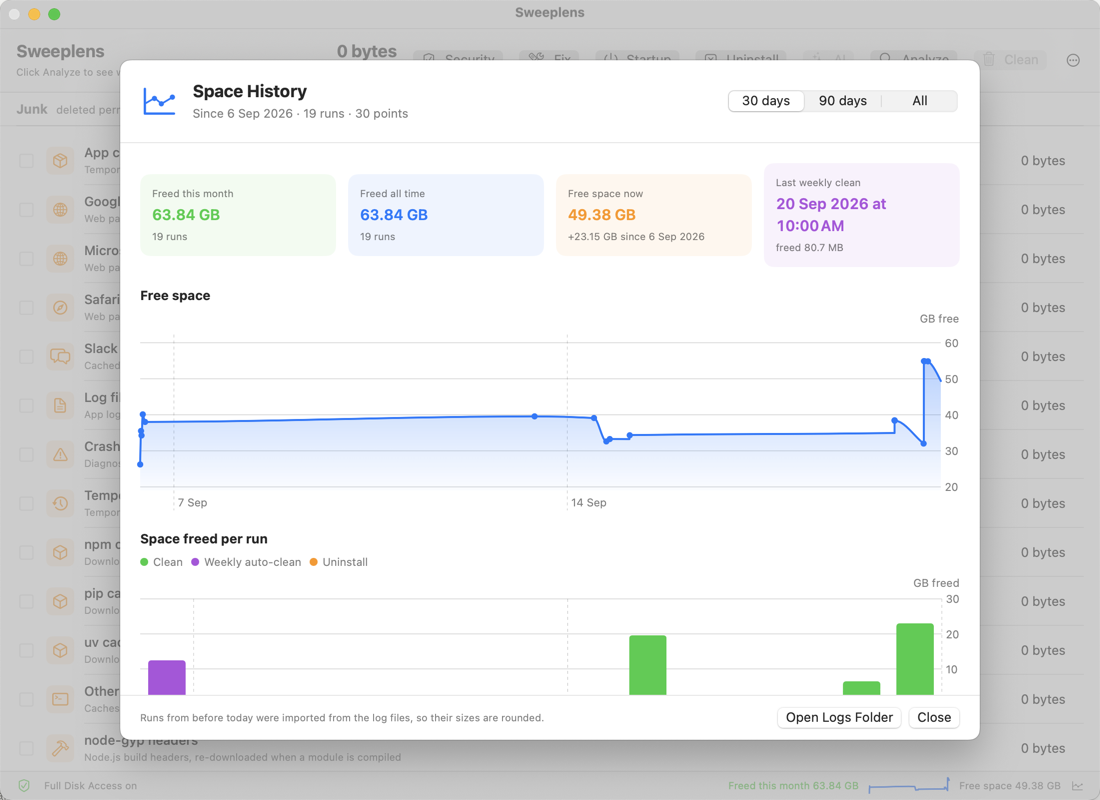
Space history
A chart of free space over time and a bar for every run, so you can see what each clean gave back.
AI assistant, optional
Ask what a file is and whether it is safe to remove. Uses your own key with the provider you choose, or a model running on your Mac. Sends only names, sizes and dates. Off until you set it up.
A closer look.
Real windows from a real Mac, not mock-ups.
Why you can trust a cleaner with your Mac.
Cleaners have a bad reputation, earned by apps that delete first and explain never. Sweeplens is built the other way round.
Analyze first, always.Nothing is removed until you click Clean and confirm what is listed.
A log for every run.Every deleted file, every move to the Trash and every skip, with the reason, in a plain text file you can open.
Your files are never deleted.Downloads, large files, duplicates and app leftovers go to the Trash, where you can put them back.
Simulate before you commit.Dry run shows exactly what a clean would do and touches nothing.
Guardrails in the code.A path guard refuses anything outside the folders a rule declared, system folders, links, and files you do not own.
Nothing leaves your Mac.No account, no analytics, no tracking. The only network request is the daily check for updates.
One price. No subscription.
Try everything free for 14 days. Buy once and keep it.
- Use it on every Mac you own
- All features, all updates included
- 14-day free trial, no card needed
- 14-day money-back guarantee
Your license key arrives by email within minutes and works offline.
Questions people ask.
Is it safe? Cleaners have deleted people's files before.
Junk is only ever removed from the folders each rule declares, and you see the list before anything happens. Your own files never get deleted: what you tick in the Review section moves to the Trash, and you can put it back. Every run writes a log. If you want to see what a clean would do without doing it, turn on Simulate in the ⋯ menu.
Does it replace antivirus?
No, and nothing should. macOS already runs Apple's own antivirus, XProtect, all the time. Sweeplens looks for what that tends to miss: adware, fake "cleaner" and "optimizer" apps, hijacked browser settings, spyware and coin miners, and it checks that FileVault, the firewall, Gatekeeper and updates are switched on. It also tells you when Apple's definitions have stopped arriving.
Why does it ask for Full Disk Access?
macOS protects Safari's cache, Mail's downloads and the Trash. Without Full Disk Access, Sweeplens cannot measure or clean them; everything else works. You grant it once in System Settings › Privacy & Security, and it stays granted across updates.
Which Macs does it run on?
Any Mac running macOS 14 Sonoma or later, Apple Silicon or Intel. One download covers both.
Does anything leave my Mac?
No. Sweeplens has no account, no analytics and no tracking. Once a day it asks sweeplens.com whether an update exists. The optional AI assistant is off until you set it up; when you do, it sends only file names, sizes and dates to the provider you chose, with your own key, or to a model running locally.
How many Macs can I use one license on?
All the Macs you personally own. The key is a text you paste in once; it works offline.
What if I want my money back?
Write to [email protected] within 14 days of buying and you get a refund, no questions.
Who makes it?
Sweeplens is made by an independent developer, Bansi Vavadia, and started as a tool built for one Mac that was 89% full. Support mail is read by the person who wrote the code.